Ball Design 101
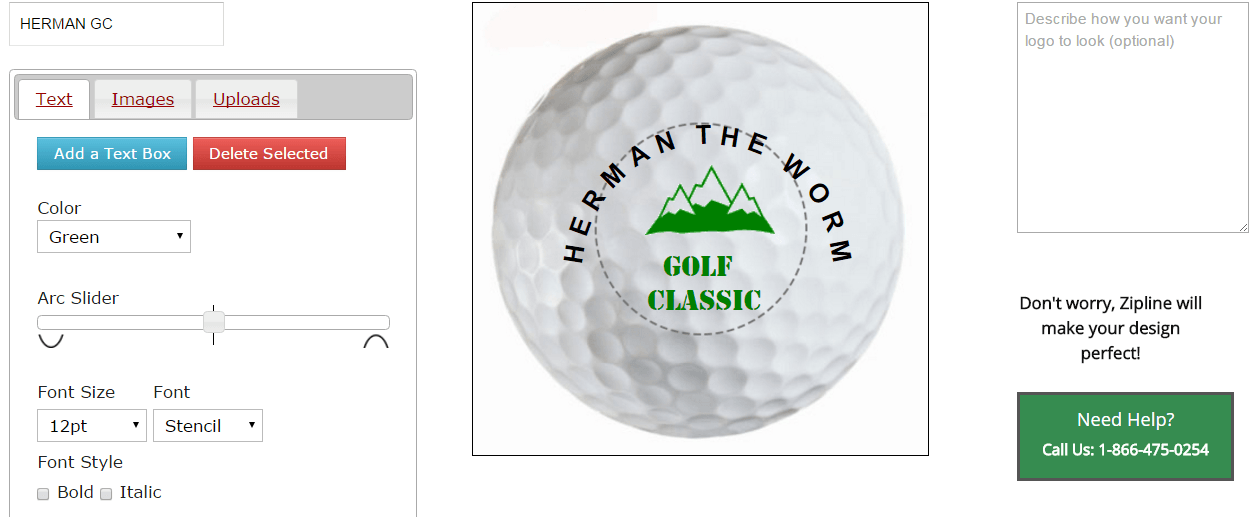
FIRST STEP: Create all the ball designs you want to order. You can create as many designs as you like and they will all be saved in your profile and will appear as options when you choose the balls you want. Just be sure and name each design you create like the HERMAN GC design example below.
The maximum available imprint area is 7/8” diameter circle represented by the black dotted line.
Add text using TEXT option. Create as many text boxes as you need. Select fonts using the drop down lists. You can move, size, and arc each textbox. To remove the black dotted line around the text box, click off the ball on the white ball canvas between the edge of the ball and the black square outline. You can also add clipart images by clicking on IMAGES. Click on this video link for a detailed demonstration of how to use our online logo designer.
Add your own artwork using the UPLOADS option. JPG, JPEG, GIF, and PNG bitmap file types will display on the ball viewer. You can also upload vector artwork files – EPS, PDF, AI, OR CDR file types but they will only display as a placeholder in the ball viewer. We prefer vector artwork; so if you upload bitmap artwork and also have vector file for the same artwork, email your vector artwork files (EPS, PDF, AI, OR CDR) to Zipline in reply to your initial order confirmation that will instantly appear in your mailbox when you complete your order.
Don’t worry if the design you create doesn’t look or fit perfectly (like the example below). Zipline’s graphic artist will optimize the appearance of your logo along the lines of your creation. Use the comments box to the right of the ball viewer for any logo design arrangement instructions. You may also request an email proof that zipline will send you in 1 to 2 workdays.
Zipline ball prices include one standard color (black, green, red, blue) logo in one position. 2nd color adds $5.00/dz. 2nd side logo adds $5.00/dz.
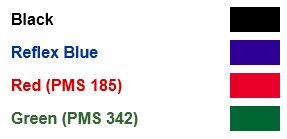
If you need a non-standard custom color, you can precisely specify by Pantone PMS “C” color code or say “PMS match my artwork color” -- each custom ink mix you choose runs a $10.00 flat fee.
If you need help, call Zipline at 1-716-689-6934 or 1-716-689-6934.
